Getting started with Closr
Watch the 13-minute walkthrough
Ara takes two agents through Closr live: chat, contacts, projects, calls, and a deal built from its documents.
Closr is a chat-first CRM. Instead of clicking through pages and filling forms, you talk to Closr, your AI partner, and the work happens. The pipeline updates, contacts get logged, emails draft themselves, comps get pulled. All as side effects of a conversation.
The whole product is one chat surface plus a few side panels. You can always go back to chat. You don't need to learn anything new. Describe what you want, Closr figures out the rest.
What the screen looks like
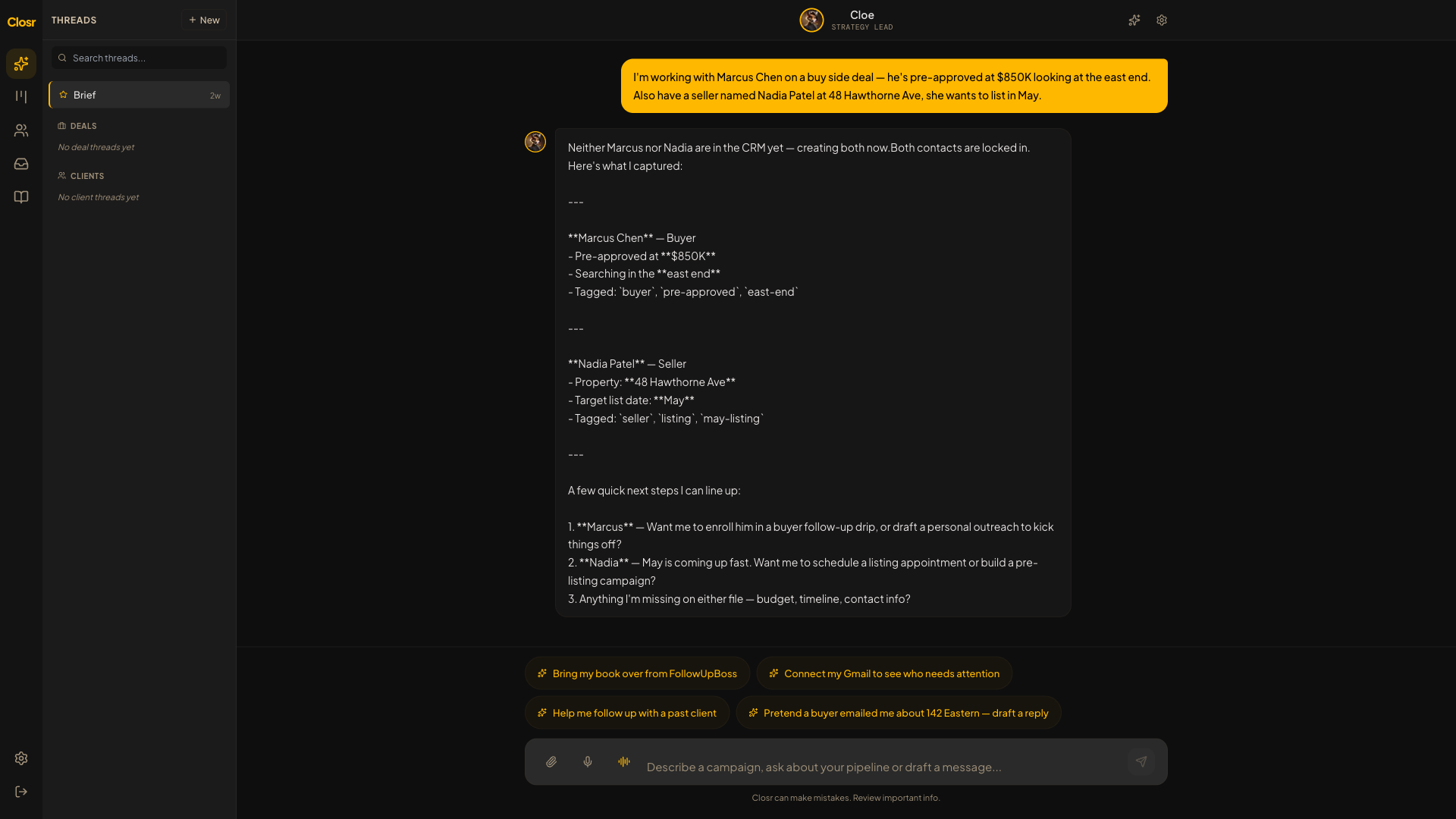
Open Brief and you'll see three things.
- •Left sidebar is your workspace, grouped into buckets: Inbox (pinned at the top), Recent, Leads, Deals, Buyers, Sellers. Each bucket lists the active threads in it. Closed deals tuck under "Show closed" inside Deals. Inactive contacts (no activity in 30 days) tuck under "Show inactive" inside Buyers and Sellers.
- •Middle is the chat surface. New chat shows the Brief welcome card with the fastest first moves and a "What needs my attention today?" button.
- •Top right has the bell (notification center), search, and the command palette. Press Cmd+K (Ctrl+K on Windows) anywhere to jump to a contact, deal, page, or recent thread without clicking through the sidebar.
Your first 5 minutes
- 1Drop a deal PDF you're already working on. An APS, a listing agreement, an amendment, anything. Watch Closr read it and produce a structured deal card with every field filled in.
- 2Click "Save to pipeline." Your deal is in.
- 3Type "value 142 Eastern" (or any address you know) and paste a few recent solds from your MLS.
- 4Click "Draft a pitch email" on the resulting CMA card. You've now produced a client-ready email.
- 5Press Cmd+K, type a contact's name, hit Enter. That's your new "go anywhere" shortcut.
Other surfaces worth knowing about
- •Pipeline (left rail): the kanban view of your deals. Drag a tile across stages to move it.
- •Projects: optional. A project is a workspace for work that has a lot going on before there is a deal: a listing you are prepping with stagers and painters, or a buyer search with several people involved. Most contacts never need one. Add the contact, work in their thread, and press Add to pipeline when it becomes real. Use a project only when the pre-deal work has its own moving parts.
- •Showings: BrokerBay and ShowingTime confirmations land here automatically once your inbox is connected.
- •eSign: draft a contract from chat, place signature fields with one click, send for signature. Counter-signing inside the same thread.
- •Settings → Integrations: where you connect Gmail, your calendar, and install the web tracker on your site.
Heads up
Stuck? Type "what can you do?" anywhere in chat and Closr will give you the three fastest paths back. You can also ask for any surface by name: "open my pipeline", "show me Sarah's thread", "take me to integrations".